Manchester’s Bike-Sharing Schemes: A Practical Comparison
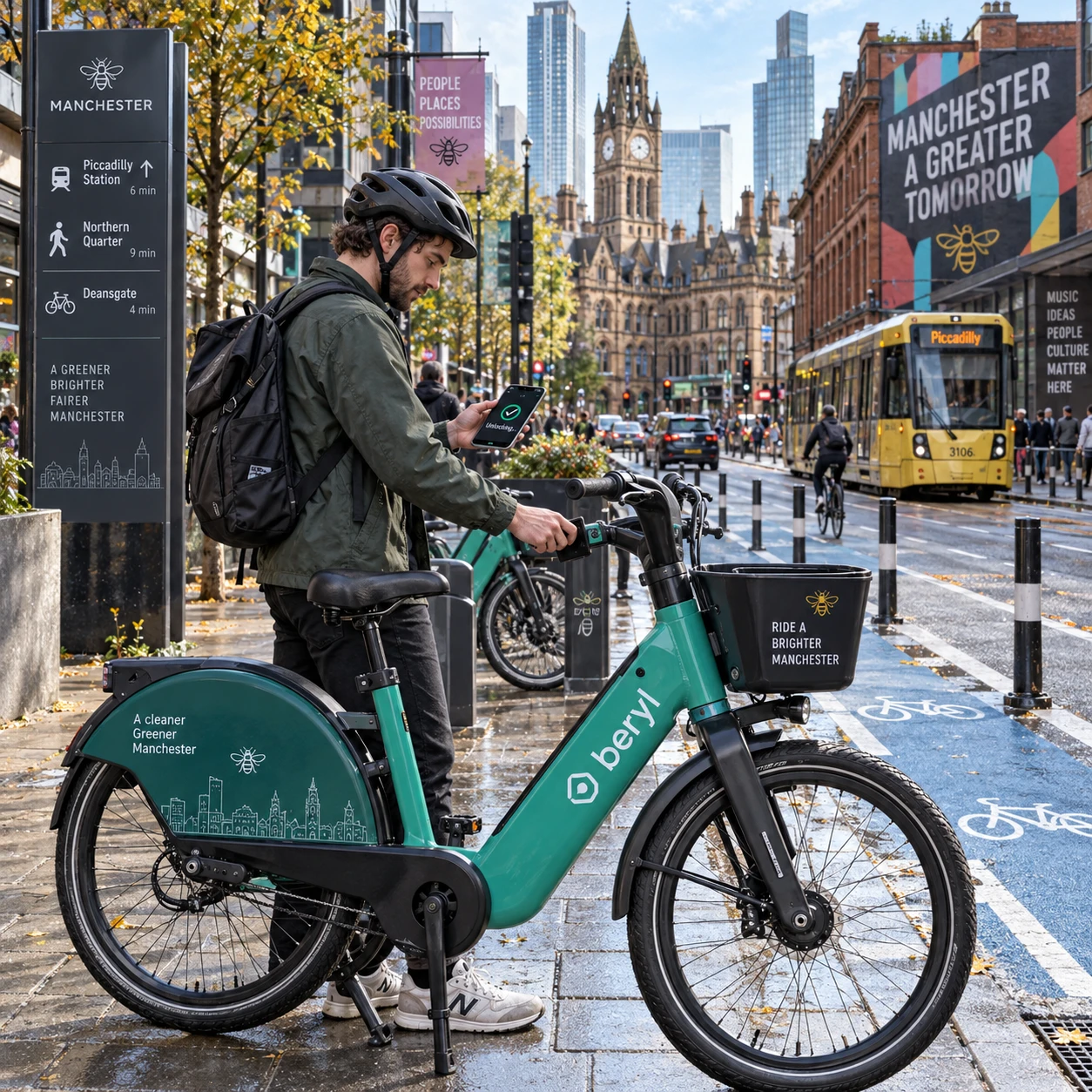
Bike-sharing can make a short journey across Manchester easier without owning or storing a bicycle. The right choice depends on where you are starting and finishing, whether you want a standard bike or an e-bike, and how the provider handles payment and returns.
Services, prices, and operating areas can change. Treat each provider’s app and current terms as the final source before riding; this guide explains what to compare and how to plan around the differences.
How bike-sharing works in Manchester
Bike-sharing lets you rent a shared bicycle for a short trip through a provider’s app or access system. In Manchester, the details depend on the operator: bikes may be collected from a dock or designated location, or unlocked from a permitted parking area.
Most rentals follow a simple sequence: find an available bike, check its condition, unlock it, ride, then return it according to the provider’s rules. Rental apps commonly show nearby bikes, service boundaries, prices, and instructions for ending a hire. Some services use conventional bicycles; others may offer e-bikes, which provide pedal assistance.
The two broad system types work differently:
- Docked systems: You collect and return a bike at a fixed station. A dock gives a clear return point, but you may need to walk to one at either end of your trip.
- Dockless systems: You can pick up and leave a bike in approved locations within the service area. This can make the trip more flexible, though parking rules and local availability matter.
Some schemes use a hybrid approach, such as allowing returns only in marked zones or at approved stands. Never assume a bike can be left anywhere simply because it has no physical dock.
Comparing schemes at a glance
The main differences between Manchester bike-sharing schemes are how you access a bike, what types are available, how you pay, where you can ride, and where you must return it. Compare those details for your actual route rather than relying on a provider’s headline offer.
Because operator names, prices, and coverage can change, use this checklist in the app before signing up or setting off:
- Access: Is registration required, or can you pay for a single ride? Check whether the app needs a phone number, payment card, or identity verification.
- Bike type: Confirm whether the local fleet includes standard bicycles, e-bikes, or both. Check how pedal assistance is charged and whether the bike has a working lock or lights.
- Pricing and passes: Compare the ride fee, time-based charges, unlock fees, and any day or longer-term passes. A pass may reduce the cost of repeated trips but offer little value for one short ride.
- Coverage and availability: Look for bikes near both your start and destination, and check that both points sit inside the service area.
- Return rules: Find out whether you need a docking station, marked parking zone, or approved stand. An incorrectly ended rental may continue to accrue charges.
This comparison is more useful than a simple “cheapest” ranking. A low per-ride price does not help if there is no permitted return point near your destination, while a more flexible system may cost more or have fewer bikes available at a particular time.
Costs, passes, and how to hire a bike
To hire a shared bike in Manchester, check the provider’s current fare and return rules, create an account if required, unlock an available bicycle, and end the trip using the app or designated station. The total cost can depend on ride duration, bike type, and pass conditions.
Before starting, read the full pricing screen rather than focusing only on the advertised rate. Check whether the charge includes unlocking, how billing time is rounded, whether an e-bike carries a different rate, and what happens if you leave the bike outside its return area. Also look for deposits, membership renewals, or fees for a ride that was not properly ended.
- Check your route and account. Confirm that the service operates at your origin and destination, and add an accepted payment method.
- Choose a bike. Use the app map, then inspect the bicycle for visible damage, secure brakes, working lights, and tyres that appear fit to ride.
- Unlock and confirm. Follow the app’s instructions, such as scanning a code or entering a bike number. Make sure the rental has started before moving off.
- Park and end the hire. Use an approved location, secure the bike as directed, and wait for confirmation that the rental has ended.
For one-off use, check for pay-as-you-go access before purchasing a subscription. If you plan to ride several times in a week, compare the pass price with the likely total of separate rides, including any time limits or extra charges. A pass is only good value if its restrictions fit your routine.
Where you can ride and return bikes
You can ride a shared bike only within the provider’s operating rules, and you must return it to a location the scheme accepts. Service boundaries, parking zones, and bike availability can all affect whether a journey is practical.
Check the map before setting out, especially if you plan to finish outside central Manchester. An operator may show a wider riding area than its permitted parking area. In that case, you could be allowed to ride to a location but unable to end the rental there without moving the bike to an approved zone.
Availability changes through the day as people take and return bicycles. For a time-sensitive commute, check for a bike near home and a valid return location near work before relying on the service. If your destination has limited parking, identify a legal alternative in advance rather than leaving the bike across a pavement, doorway, or cycle route.
Docked systems make the final step predictable when a station has space. Dockless systems may shorten the walk to a bike, but they require careful parking. In either case, the app’s live map and end-of-ride confirmation are more reliable than assumptions based on what you saw on a previous trip.
Choosing a scheme for your journey
The most suitable bike-sharing scheme depends on trip length, route, return options, and how often you ride. Start with the journey you need to make, then choose the service whose bike availability and rules fit it.
- For commuting: Check availability at both ends during your usual travel times. A docked option can suit a commute between reliable stations; a dockless service may be more convenient if approved parking is close to home and work. Keep a backup plan for days when nearby bikes are unavailable.
- For short urban trips: A nearby standard bicycle may be enough for a direct trip. Compare the whole cost of a brief ride, including any unlock charge, and make sure the destination has a permitted return point.
- For occasional rides: Look for straightforward pay-as-you-go access and clear instructions for ending the rental. Avoid paying for a recurring pass unless you expect to use its benefits before renewal.
- For routes with hills or longer distances: An e-bike can reduce the effort of pedalling, but check its availability, fare, battery guidance, and any usage restrictions before choosing it.
A useful decision rule is to rank the factors in this order: return location, bike availability, total cost, then bike type. A comfortable e-bike is no help if you cannot legally end the hire near your destination. If two services fit the route equally well, compare their fares and account requirements.
Riding shared bikes safely and considerately
Ride a shared bicycle as you would any other bike: check it before departure, choose a suitable route, stay alert to traffic, and park without blocking other people. A few checks can prevent a short rental from becoming an avoidable problem.
Before unlocking, look over the brakes, tyres, handlebars, chain, lights, and frame. Do not ride a bicycle that feels unstable or has an obvious fault; report the issue in the app and select another one. For an e-bike, learn how its assistance starts and stops before joining traffic.
Plan a route that suits your confidence and the conditions. Manchester’s cycling infrastructure varies by street, so review the route rather than assuming every road has a protected lane. Watch for turning vehicles, bus lanes, parked-car doors, pedestrians, and changing surfaces. Slow down where visibility is poor and give people walking space.
When you finish, use the provider’s designated return area or dock. Keep pavements, dropped kerbs, entrances, cycle lanes, and accessible parking clear. Lock the bicycle as instructed and check for an in-app confirmation that the trip has ended; take a screenshot or note the time if the app appears to fail.
Frequently asked questions
How do I hire a shared bike in Manchester?
Choose a provider that covers your route, check its current terms, and use its app or access method to locate and unlock a bicycle. Follow the parking instructions at the end and confirm that the rental has closed.
Are shared bikes available for one-off rides?
Some providers offer pay-as-you-go rides, while others may require an account or pass. Check the app for single-ride access and the full fare before unlocking a bike.
Where can I return a bike?
Return it at a docking station, approved stand, or marked zone specified by the operator. The permitted locations vary, so use the live app map and confirm the ride has ended.
How can I compare the cost of different schemes?
Compare the total price for the same journey duration. Include unlock fees, time-based rates, e-bike charges, pass limits, and possible out-of-zone fees, then check whether a pass is cheaper for your expected number of rides.